Codoforum related discussions
Remove the dropdown and link buttons on the navbar

I have been looking at the theme trying to find out which file has the useless links. Here is a screenshot:546b80adeeff6.png

I have been looking at the theme trying to find out which file has the useless links. Here is a screenshot:![546b80adeeff6.png](serve/attachment&path=546b80adeeff6.png)

@dentmaged
Open admin panel -> UI elements -> blocks -> Main Menu -> Edit

You can here edit link and dropdown elements smile

@dentmaged Open admin panel -> UI elements -> blocks -> Main Menu -> Edit You can here edit link and dropdown elements :)

@tyktak Ah! That's it, I was wondering what the blocks were used for, now I understand why they have the building block style. Thanks!

@tyktak Ah! That's it, I was wondering what the blocks were used for, now I understand why they have the building block style. Thanks!

I have been looking at the theme trying to find out which file has the useless links. Here is a screenshot:546b80adeeff6.png

i cant
in admin panel>>> ul..>> block>> is empty

can i remove the link and dropdown by coding???

plz help mesmilesmile

>I have been looking at the theme trying to find out which file has the useless links. Here is a screenshot:![546b80adeeff6.png](serve/attachment&path=546b80adeeff6.png) i cant in admin panel>>> ul..>> block>> is empty can i remove the link and dropdown by coding??? plz help me(:| ;(

Hi,

Can you try upgrading to the latest version from the backend->system->upgrade ?

Hi, Can you try upgrading to the latest version from the backend->system->upgrade ?

Hi,

I just upgraded and i'm having the same issue...

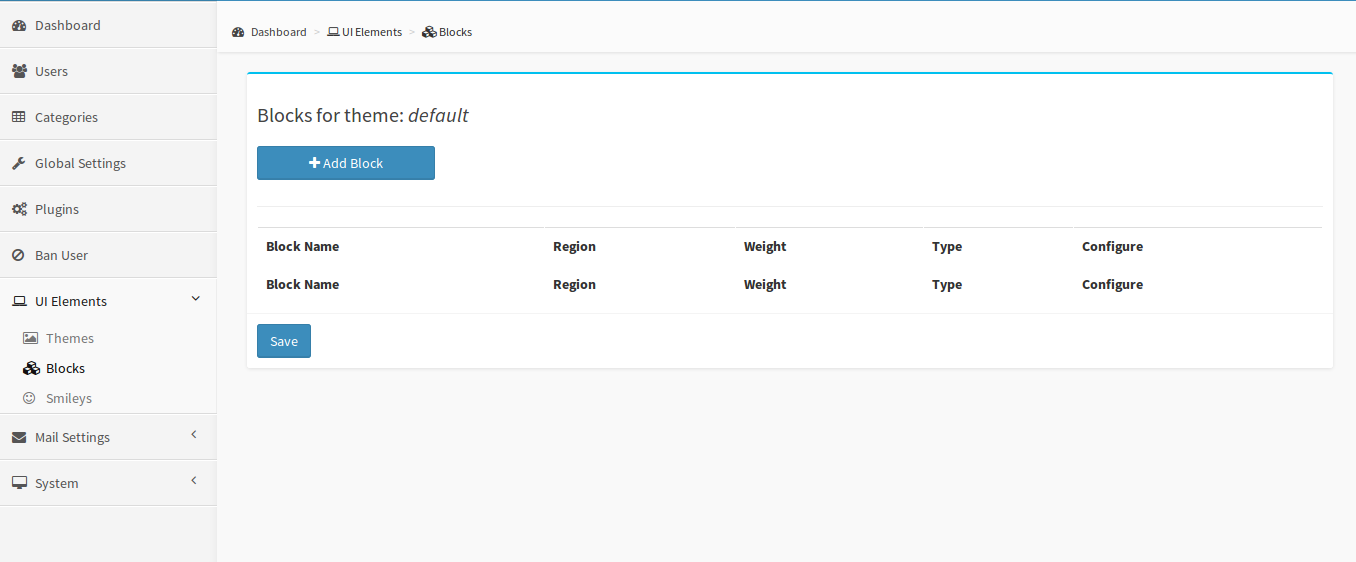
The admin page where i should be able to edit the main menu block:
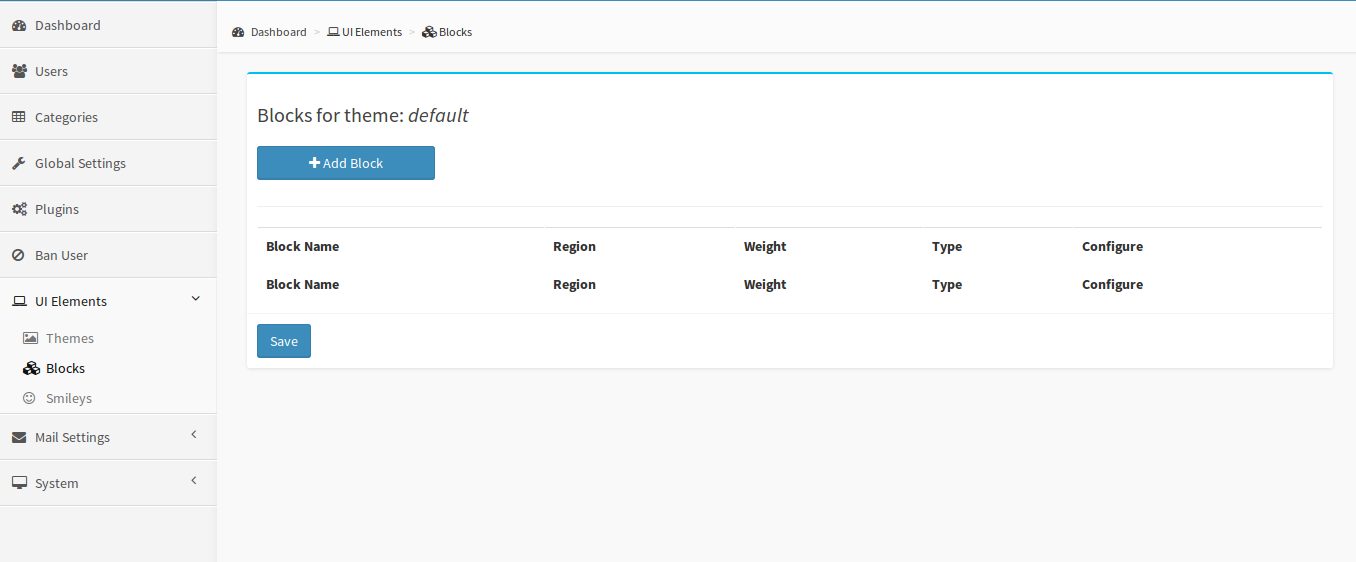
54809f8111ad7.png

If i click Save, i get a page that says this:

Notice: Undefined index: bweight_test_post in /mysite/admin/modules/ui/blocks.php on line 106

Notice: Undefined index: bweight_CSRF_token in /mysite/admin/modules/ui/blocks.php on line 106

Warning: Cannot modify header information - headers already sent by (output started at /mysite/admin/modules/ui/blocks.php:106) in /mysite/admin/modules/ui/blocks.php on line 117

Any ideas what could be wrong?

Hi, I just upgraded and i'm having the same issue... **The admin page where i should be able to edit the _main menu_ block: ** ![54809f8111ad7.png](serve/attachment&path=54809f8111ad7.png) **If i click _Save_, i get a page that says this:** ```` Notice: Undefined index: bweight_test_post in /mysite/admin/modules/ui/blocks.php on line 106 Notice: Undefined index: bweight_CSRF_token in /mysite/admin/modules/ui/blocks.php on line 106 Warning: Cannot modify header information - headers already sent by (output started at /mysite/admin/modules/ui/blocks.php:106) in /mysite/admin/modules/ui/blocks.php on line 117 ```` Any ideas what could be wrong?
Creature Conduit Sanctuary, a permaculture village for artists... https://creatureconduitsanctuary.net

@AdiaAira Follow these steps:

At the forum backend,

  1. Click UI Elements
  2. Click Themes
  3. Activate blue theme (default theme is currently activated)
  4. Click Blocks

By now the main menu block should appear for your editing.

I hope this helps you out and anyone concerned.

Chinny

@AdiaAira Follow these steps: At the forum backend, 1. Click UI Elements 2. Click Themes 3. Activate blue theme (default theme is currently activated) 4. Click Blocks By now the main menu block should appear for your editing. I hope this helps you out and anyone concerned. Chinny

Put your brain to work. Keep your hands busy. Then relax and take a nice ride on the benefits.

edited Dec 28 '14 at 4:25 am
692
6
4
live preview
enter atleast 10 characters
WARNING: You mentioned %MENTIONS%, but they cannot see this message and will not be notified
Saving...
Saved
With selected deselect posts show selected posts
All posts under this topic will be deleted ?
Pending draft ... Click to resume editing
Discard draft